Which Free Streaming App Is Actually Better?
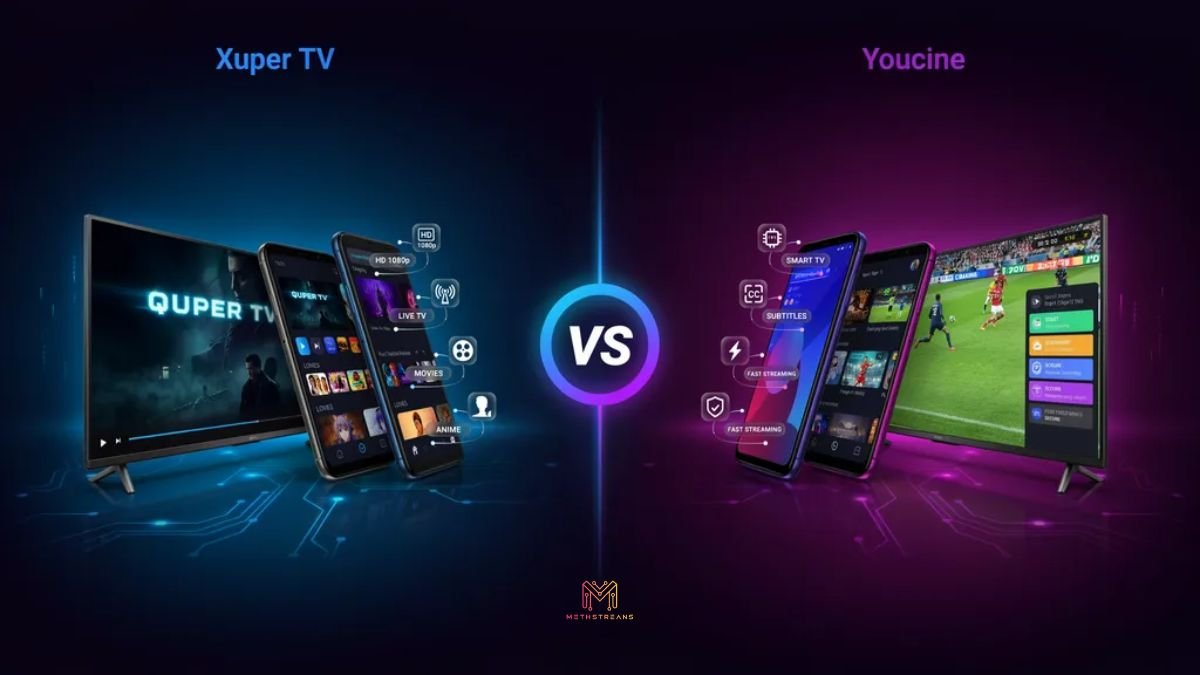
If you are searching for the best free streaming app, two names consistently come up: Xuper TV and Youcine. Both are completely free, require no subscription, and give access to thousands of movies, TV shows, and live channels. But they are built differently, serve different audiences, and excel in different areas.
This pillar guide breaks down every major category — content library, streaming quality, user interface, device support, safety, and more — so you can make a fully informed decision.
Quick Answer: Choose Xuper TV for Live TV & new movies. Choose Youcine for Anime, international content & better UI.
Overview — What Are These Apps?
What Is Xuper TV?
Xuper TV is a free, third-party streaming application built primarily for Android. It aggregates video content from multiple online sources, delivering a wide library of Hollywood movies, international TV series, and an extensive collection of live TV channels — all at zero cost.
The app is recognised for its clean, no-nonsense interface and fast content updates. Because it does not appear on the Google Play Store, it must be installed via APK sideloading.
📺 Best for: Users who want live TV channels + the latest movies fast.
What Is Youcine?
Youcine is a free streaming app that originally gained traction in Latin America before expanding globally. It was designed first for Portuguese and Spanish-speaking audiences but now covers English-language movies, series, anime, and live sports extensively.
The app is praised for its polished, modern interface, stable playback engine, and deep anime catalogue. Like Xuper TV, it is available only as an APK sideload on Android devices.
🎌 Best for: Anime fans, international content viewers, and users who value a refined UI.
Xuper TV vs Youcine — Key Differences at a Glance
| Feature | Xuper TV | Youcine |
|---|---|---|
| Content Focus | Movies, TV Shows, Live TV | Movies, Series, Anime, Sports |
| Primary Audience | Global — English First | Latin America & Global |
| Language Support | English + Multi-language | Portuguese, Spanish, English+ |
| Interface Style | Minimalist & Fast | Modern & Visual |
| Live TV Channels | ✅ Extensive | ⚠️ Limited |
| Anime Library | ⚠️ Limited | ✅ Extensive |
| HD Streaming | Up to 1080p | Up to 1080p |
| Subtitles | ✅ Available | ✅ Available |
| Personalized Recs | ❌ No | ✅ Yes |
| Account / Login | ❌ Not Required | ✅ Optional |
| Cost | 100% Free | 100% Free |
| Google Play Store | ❌ APK Only | ❌ APK Only |
User Interface and Navigation
A great streaming experience begins with a great interface. Here is how both apps compare on usability and design.
Xuper TV Interface
Xuper TV uses a minimalist approach. The home screen shows trending content, recently added titles, and genre categories in a clean list format. Navigation is fast and distraction-free, which is ideal for users who know what they want and prefer to get to it immediately.
- Simple homepage with trending and new titles
- Genre-based navigation in the menu
- Fast load times due to lightweight design
- No account needed — instant access
Youcine Interface
Youcine takes a more visually rich approach with banner carousels, grid-style thumbnails, genre tags, and a colour-coded layout. It feels closer to a mainstream streaming platform in look and feel.
- Banner carousel for featured and new content
- Grid thumbnail layout for easy browsing
- Smart search bar with autocomplete and filters
- Genre, rating, and year-based content filters
- Dedicated sections for Anime, Series, Movies, Sports
🏆 Winner — UI: Youcine delivers a more polished, modern experience. Xuper TV wins on speed and simplicity.
Content Library Comparison
Movies Collection
Both apps maintain massive movie libraries. Xuper TV refreshes its Hollywood catalogue faster and often has new digital releases within days. Youcine balances Hollywood with strong international cinema, making it better for world film fans.
TV Shows and Series
Xuper TV covers mainstream English-language series well — drama, crime, comedy, thriller, and documentary. Youcine matches this coverage and adds a rich anime library that Xuper TV simply cannot match.
Live TV Channels
Xuper TV is clearly stronger here. It offers a broad range of live channels including news, sports, entertainment, kids, and regional content. Youcine’s live TV is limited — mainly sports and a small selection of entertainment channels.
Anime
Youcine is the far superior choice for anime. It features thousands of anime titles across all genres with proper episode structure and subtitle support. Xuper TV’s anime selection is shallow in comparison.
International and Regional Content
Youcine was engineered with multilingual audiences in mind. Its Spanish and Portuguese content library is exceptional. Xuper TV serves primarily English-speaking audiences with some international titles.
New Release Speed
Xuper TV pulls from a wider network of sources, meaning newly released movies and TV episodes typically appear on Xuper TV first. Youcine is competitive but typically a few days behind.
| Content Category | Xuper TV | Youcine |
|---|---|---|
| Hollywood Movies | ✅ Excellent | ✅ Excellent |
| International Cinema | ⚠️ Moderate | ✅ Strong |
| English TV Series | ✅ Strong | ✅ Strong |
| Anime Library | ⚠️ Limited | ⭐ Best in Class |
| Live TV Channels | ⭐ Best Choice | ⚠️ Limited |
| Live Sports | ✅ Good | ✅ Good |
| Spanish / Portuguese | ⚠️ Limited | ⭐ Best Choice |
| New Release Speed | ⭐ Fastest | ✅ Good |
| Kids Content | ✅ Available | ⚠️ Limited |
Streaming Quality and Performance
Video Resolution
Both apps support up to 1080p Full HD. Available resolution for any title depends on the source link selected, not the app itself. Most popular titles offer 720p minimum, with Full HD available for major releases on both platforms.
Playback Stability
Youcine is slightly ahead in playback stability. Its built-in media player handles varied formats well and rarely crashes mid-stream. Xuper TV performs solidly but is more dependent on the quality of each individual source link.
Buffering
Buffering on both apps is tied to internet speed and source server quality rather than the apps themselves. Both platforms solve this by offering multiple server links per title — if one buffers, switch to another. For best results, a 10 Mbps or faster internet connection is recommended.
| Performance Factor | Xuper TV | Youcine |
|---|---|---|
| Max Resolution | 1080p Full HD | 1080p Full HD |
| Playback Stability | ⚠️ Good | ✅ Very Stable |
| Multiple Links | ✅ Yes | ✅ Yes |
| Built-in Player | ✅ Yes | ✅ Yes |
| Buffering Control | ✅ Switch Links | ✅ Switch Links |
| Min Speed Needed | 10 Mbps (HD) | 10 Mbps (HD) |
💡 Pro Tip: If you experience buffering on either app, always try switching the server link first before assuming your internet is slow.
Features Comparison
| Feature | Xuper TV | Youcine |
|---|---|---|
| Search Bar | ✅ Basic | ✅ Advanced + Autocomplete |
| Genre Filters | ⚠️ Basic | ✅ Advanced |
| Year / Rating Filters | ❌ No | ✅ Yes |
| Personalized Recommendations | ❌ No | ✅ Yes |
| Watchlist / Favorites | ✅ Yes | ✅ Yes |
| Multiple Server Links | ✅ Yes | ✅ Yes |
| Subtitle Support | ✅ Yes | ✅ Yes |
| New Releases Section | ✅ Yes | ✅ Yes |
| User Account / Sync | ❌ No | ✅ Optional |
| Chromecast Support | ✅ Yes | ⚠️ Limited |
| Download / Offline | ❌ No | ❌ No |
| Ad-Free Experience | ⚠️ Some Ads | ⚠️ Some Ads |
Device Compatibility
| Device | Xuper TV | Youcine |
|---|---|---|
| Android Smartphones | ✅ Full Support | ✅ Full Support |
| Android Tablets | ✅ Full Support | ✅ Full Support |
| Android Smart TVs | ✅ Full Support | ✅ Full Support |
| Amazon Fire TV Stick | ✅ Via APK | ✅ Via APK |
| Nvidia Shield | ✅ Yes | ✅ Yes |
| Chromecast | ✅ Cast Support | ⚠️ Limited |
| Kodi Integration | ⚠️ Manual Setup | ❌ No |
| PC / Web Browser | ⚠️ Limited | ❌ No |
| iOS / iPhone / iPad | ❌ Not Supported | ❌ Not Supported |
| Roku | ❌ Not Supported | ❌ Not Supported |
| Apple TV | ❌ Not Supported | ❌ Not Supported |
Neither app is available for iOS. Both are Android-first experiences. iPhone and iPad users will need to explore alternatives such as Stremio or Plex.
Installation and Setup Guide
How to Install Xuper TV
- Open Settings on your Android device
- Go to Security (or Privacy) and enable Install Unknown Apps or Unknown Sources
- Download the latest Xuper TV APK from a trusted, reputable source
- Open the downloaded APK file from your notifications or file manager
- Tap Install and wait for the installation to complete
- Launch Xuper TV — no sign-up needed, start watching immediately
How to Install Youcine
- Go to Settings > Security > Enable Unknown Sources on your Android device
- Visit the official Youcine website or a trusted APK mirror to download the latest version
- Open the APK file and tap Install
- Launch Youcine — optionally create an account for watchlist sync across devices
Initial Setup
Both apps require zero mandatory setup after installation. No account, no credit card, no personal information needed to start watching. Youcine’s optional account creation is a bonus feature, not a requirement.
🔒 Security Tip: Always scan any APK file with an antivirus tool before installing, regardless of the source.
Safety and Security
Is Xuper TV Safe?
Xuper TV operates in a legal gray area. As a third-party APK, it bypasses Google Play Store security checks. The app itself, when downloaded from a reputable source, does not contain known malware — but the risk is in the download source, not the app code.
- Only download from well-known, community-verified sources
- Scan the APK with an antivirus before installing
- Never enter financial or personal information inside the app
- Use a VPN to protect your privacy while streaming
Is Youcine Safe?
Youcine carries the same inherent risks as any sideloaded APK. Millions of users worldwide use it without security issues when the app is sourced correctly. The main risk remains the download source, not the app itself.
- Download only from the official Youcine website or verified mirrors
- Run an antivirus scan before installing
- Avoid granting unnecessary permissions (camera, contacts, etc.)
- A VPN adds an important layer of privacy protection
Privacy and Legal Considerations
Neither app is an officially licensed streaming service. They aggregate content from across the web, which places them in a legal gray zone in most countries. Their data collection practices are not publicly documented the way Netflix or Amazon Prime Video are. Do not use either app with payment details or sensitive personal accounts.
⚠️ Disclaimer: Both apps are third-party tools. Use responsibly and always download APKs from verified sources only.
Pros and Cons — Side-by-Side
| 🔵 Xuper TV | 🟢 Youcine |
| ✅ Pros✔ Extensive live TV channel library✔ Fastest new movie & episode updates✔ Simple, clutter-free interface✔ Full HD 1080p support✔ Multiple server links per title✔ No sign-up required | ✅ Pros✔ Best-in-class anime collection✔ Modern, polished UI with filters✔ Strong Spanish & Portuguese content✔ Stable, consistent playback✔ Optional account for cross-device sync✔ Smart search with autocomplete |
| ❌ Cons✘ No personalized recommendations✘ Basic content discovery tools✘ Limited anime library✘ No iOS / iPhone support✘ Not on Google Play Store | ❌ Cons✘ Fewer live TV channels✘ Slightly slower on new releases✘ No iOS / iPhone support✘ Not on Google Play Store✘ Limited Chromecast support |
Which App Is Best for You?
| Use Case | Best Choice | Why |
|---|---|---|
| Movie Lovers | Both ✅ | Large libraries on both |
| Live TV Streaming | Xuper TV ⭐ | Far more channel variety |
| Anime Fans | Youcine ⭐ | Largest free anime library |
| English TV Series | Both ✅ | Equal coverage |
| Spanish / Portuguese | Youcine ⭐ | Built for these audiences |
| Latest Releases | Xuper TV ⭐ | Fastest update cycle |
| Beginners | Xuper TV ⭐ | Simpler setup & UI |
| Power Browsers | Youcine ⭐ | Filters, recs, smart search |
| Smart TV Users | Both ✅ | Both support Android TV |
| iOS Users | Neither ❌ | Neither supports iOS |
Common Issues and Troubleshooting
App Not Opening or Crashing
Clear the app cache via Settings > Apps > [App Name] > Clear Cache, then restart. If the issue persists, uninstall the app and reinstall the latest APK version. Older APK versions often break after a few months as source links expire.
Playback Errors
A playback error almost always means the specific server link is broken. Both apps offer multiple server options per title. Tap the server/link selector inside the player and switch to a different option — this resolves the issue in most cases.
Constant Buffering
Buffering is primarily an internet speed issue, not the app. Minimum recommended speed for HD streaming is 10 Mbps. You can also try switching to a different server link within the app, as some servers are geographically closer and faster for your location.
APK Installation Failed
If installation fails, check these in order:
- Unknown Sources / Install Unknown Apps must be enabled in Security Settings
- Ensure the APK downloaded completely — partial downloads fail silently
- Verify you have sufficient free storage space on your device
- Restart your device and try the installation again
App Loads But Shows No Content
This usually means your internet connection is blocked from reaching the content servers, or the app version is outdated. Try using a VPN, or download and install the latest version of the APK.
Xuper TV Alternatives Worth Considering
Kodi
Kodi is a powerful open-source media centre that becomes a streaming powerhouse with the right add-ons. It offers far more customisation than either Xuper TV or Youcine but carries a steep learning curve. Ideal for technically confident users who want full control.
👍 Best for: Power users who want complete customisation.
Stremio
Stremio is a legitimate, multi-platform streaming aggregator with a Netflix-like interface. It works on Windows, Mac, Android, iOS, and smart TVs. It uses community-built add-ons to pull content from various sources and is one of the most polished free streaming tools available.
👍 Best for: Users who need iOS support or cross-platform access.
Plex
Plex offers a fully legal free streaming tier with thousands of ad-supported movies and TV shows. It is available on every major platform, requires no APK sideloading, and is the safest of all the alternatives from a legal and security standpoint.
👍 Best for: Users who prioritise legality, safety, and multi-platform access.
FAQs
Which app has the larger content library?
Both are vast. Xuper TV leads in English-language movies and live TV. Youcine leads in anime and Spanish/Portuguese content. The better library depends entirely on what you watch.
Does Xuper TV offer better streaming quality than Youcine?
Both support up to 1080p. Youcine is slightly more stable in playback. Xuper TV often provides more link options, giving you more flexibility when one source is poor quality.
Can both apps be installed on a Smart TV?
Yes — both work on Android-based smart TVs and TV boxes like Amazon Fire TV Stick and Nvidia Shield. Neither is available through official TV app stores, so APK sideloading is required.
Are Xuper TV and Youcine completely free?
Yes. Both apps are 100% free to use. No subscription, no registration, and no payment is required. Both are ad-supported, which is the only trade-off for free access.
Is there a risk of getting a virus from these apps?
The risk is real if you download from unverified sources. Always use a trusted, well-known source for the APK, scan with antivirus before installing, and use a VPN while streaming. From verified sources, neither app is known to contain malware.
Can I use both apps at the same time?
Absolutely. Many users install both Xuper TV and Youcine to cover each app’s weaknesses with the other’s strengths. This is the power user recommendation.
Which app is better for a Smart TV?
Both perform well on Android TVs and TV boxes. Xuper TV’s simpler interface works slightly better on large screens with remote controls. Youcine is better on smartphones and tablets.
Final Verdict — Xuper TV vs Youcine
📌After evaluating both apps across every major category, here is the honest final scorecard:
| Category | Xuper TV | Youcine | Winner |
|---|---|---|---|
| User Interface | 7 / 10 | 9 / 10 | Youcine ⭐ |
| Movie Library | 8 / 10 | 8 / 10 | Tie ✅ |
| TV Series | 8 / 10 | 8 / 10 | Tie ✅ |
| Live TV Channels | 9 / 10 | 5 / 10 | Xuper TV ⭐ |
| Anime Content | 4 / 10 | 9 / 10 | Youcine ⭐ |
| International Content | 6 / 10 | 9 / 10 | Youcine ⭐ |
| Streaming Stability | 7.5 / 10 | 8.5 / 10 | Youcine ⭐ |
| Device Compatibility | 8 / 10 | 7 / 10 | Xuper TV ⭐ |
| Features & Discovery | 6.5 / 10 | 8.5 / 10 | Youcine ⭐ |
| Ease of Setup | 9 / 10 | 8 / 10 | Xuper TV ⭐ |
| Safety (from source) | 7 / 10 | 7.5 / 10 | Youcine ⭐ |
| OVERALL SCORE | 7.3 / 10 | 8.0 / 10 | Youcine ⭐ |
🏆 Overall Winner: Youcine wins on aggregate — better UI, anime, international content, and stability.
📺 Live TV Winner: Xuper TV — no other free app comes close for live channel variety.
Our Final Recommendation:
- Install Xuper TV if you primarily watch live TV, want the fastest access to new movie releases, or prefer a simpler interface on a large screen.
- Install Youcine if you are into anime, watch a lot of Spanish or Portuguese content, prefer a more modern app experience, or want personalised recommendations.
- Install both if you are a heavy streamer — they complement each other perfectly.



One thought on “Xuper TV vs Youcine”